







|
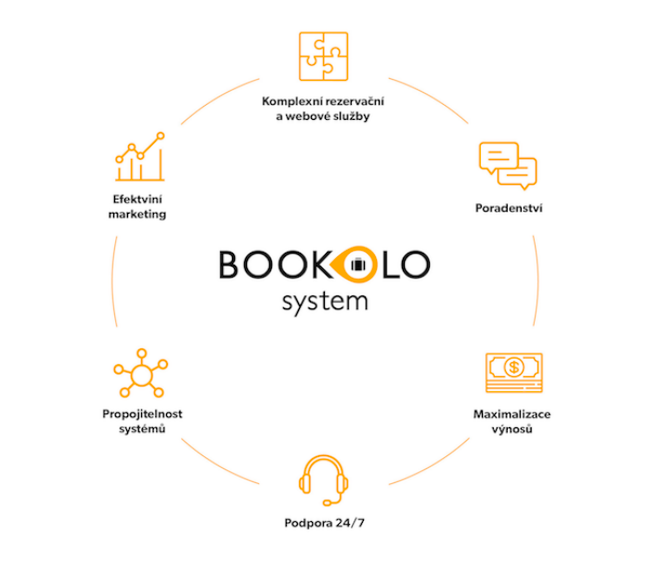
Bookolo system is a comprehensive solution offering modern online products designed for direct sale of hotel capacities (for example Channel Manager or Booking Engine) with a clear and intuitive administration for managing accommodation capacities and setting prices. The Bookolo system team has been active in the hospitality segment for many years and thanks to their experience, they are able to set up Bookolo products for each client so that the online potential of hotel websites is best utilized and online revenues are maximized. What does Bookolo offer?
|
Who should I contact to start cooperation?
|
Connecting your accommodation facility to Slevomat needs to be arranged with your sales representative. To complete the connection of your system with Slevomat, we need to obtain your hotel ID in the Bookolo system. If you already use BOOKOLO as a hotelier, simply find the Hotel Settings section in the system. In the top menu, open Settings, then click on the System field (the first from the top) and scroll to the bottom of the page. There you will find your hotel ID, which you provide to the sales representative when arranging the action. At the same time, please inform Bookolo at the e‑mail support@bookolosystem.com and the connection will be prepared for you in the Bookolo system extranet. The connection is successfully completed when we enter your ID into our system. We will, of course, inform you about this. If you have any questions, you can contact us at rezervace@slevomat.cz, or call us at 222 703 629. |
|
1) The customer requests a reservation cancellation Direct them to our Slevomat customer service department, tel.: 222 745 354. Alternatively, send a cancellation request with the voucher number to rezervace@slevomat.cz and we will take care of the cancellation. The cancellation cannot be made by the accommodation facility. Please do not delete the reservation under any circumstances; after the cancellation is processed in our system, you will receive an email confirmation and the reservation will automatically disappear from your system. 2) The customer wants to change the stay date If the customer contacts you and wants to change the date, you can agree on a new date directly with them. After making the change, please inform us at rezervace@slevomat.cz so we can update the new date in our system as well. Unfortunately, the change is not automatically reflected on our end. 3) The customer wants to change the room type If the customer wants to change the room type, you make the change yourself in Bookolo. It is not necessary to inform us about the room change. 4) What to do when I receive an email about a new reservation/change/cancellation? The email is just information for you and is sent as confirmation of a change that Slevomat made in your system. If you want to be 100% sure, we recommend checking the change directly in Bookolo. 5) What to do when I receive an order by email, but I don't see it in Bookolo? Please sort your orders in Bookolo by creation date and send us a screenshot to rezervace@slevomat.cz. We will check everything and get back to you. |
